

 Bahasa Indonesia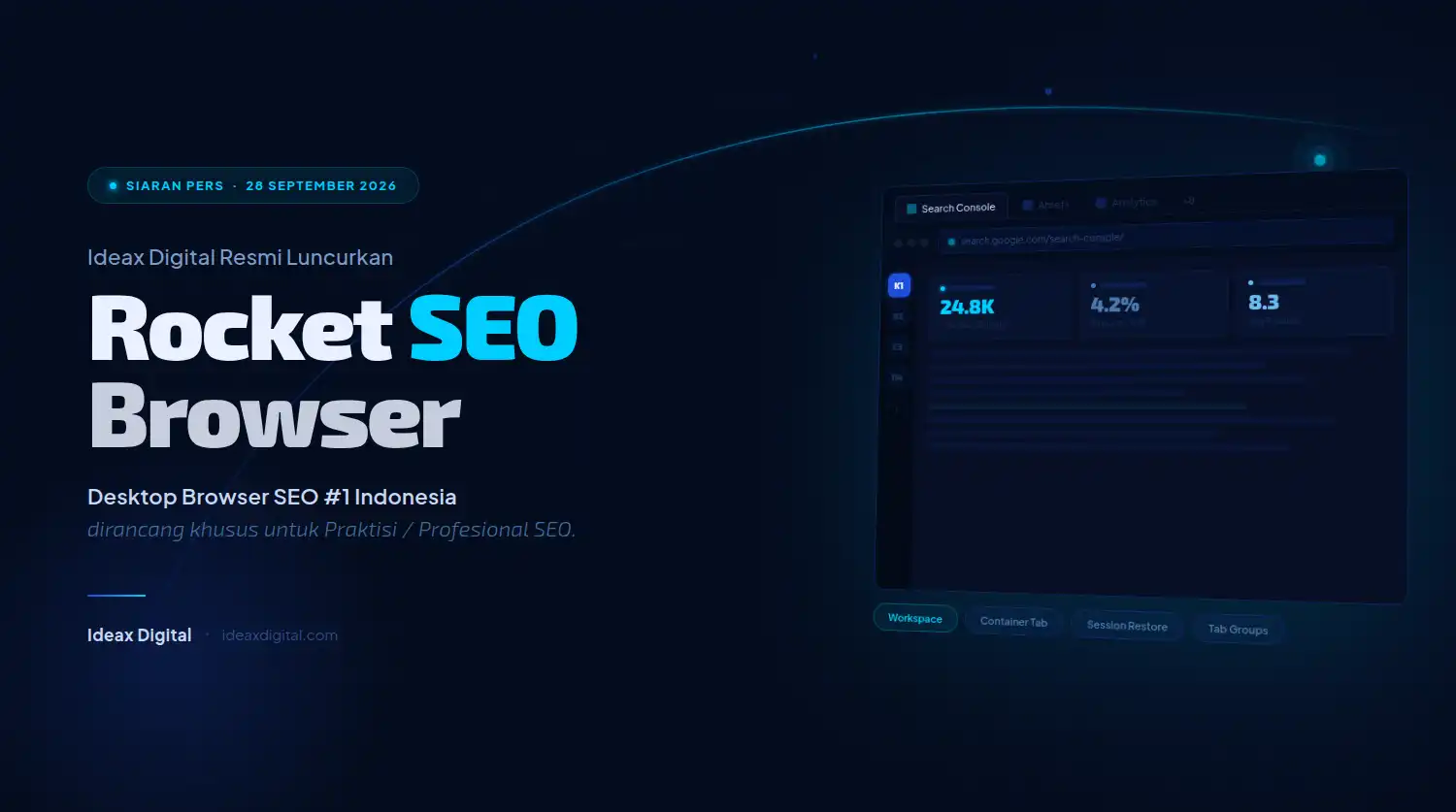
Jakarta, 28 September 2026 — Ideax Digital introduce Rocket SEO Browser or Rocket Browser, which is a Chromium-based desktop browser that integrates SEO analysis tools directly into the web browsing experience.
Developed to support the work of SEO practitioners, this product brings together page element inspection, redirect search, content reading, and display comparison in one working environment. Rocket SEO Browser is available for Windows and can be used for free.
This launch brings an approach close to the routine of SEO professionals, such as: placing inspection tools where they open and evaluate websites.
Users can review the active page with the browser's built-in features, without installing additional extensions to access the functions provided. The approach is intended to help practitioners maintain focus when moving from search activities to analysis.
Through Rocket Browser, Ideax Digital presents a product that originates from the experience of SEO practices since 2005. The need to check pages, read competitor content, and manage research materials became the basis for the development of this browser.
Product information, feature list, and download access are available via Rocket Browser or Rocket SEO Browser.
Bringing SEO Practitioners' Needs Into a Browser
SEO work involves a series of interrelated checks. When opening a page, practitioners may need to read the title, evaluate the meta description, check the heading layout, and then look at the canonical.
Other times, attention shifts to the URL journey, content presentation, or page display on different screen sizes. All of these steps require the context of the page being reviewed.
When inspection devices are scattered in several places, the user needs to readjust focus every time he changes tools. Rocket SEO Browser offers an integrated approach by placing a number of these functions within the browser.
Users can access relevant tools during the browsing process, so that browsing the page and checking supporting information are in a closer flow.
Orientation of Rocket Browser is a daily SEO job. The browser becomes a space to gather initial findings, compare pages, and review elements that need attention. The results of the inspection can be used as consideration in audits and discussions on website improvements, with the final decision still considering the business context and data from other necessary sources.
Departing from the Ideax Digital Experience
Ideax Digital is SEO Agency Indonesia which has been operating since 2005 and was founded by Andhika Wijaya Kurniawan. Under development Rocket SEO Browser, practitioner experience is the starting point for determining the functions that users need. This product brings attention to the details of everyday work into a desktop device that can be used directly while browsing websites.
Ideax Digital describes a niche-exclusive approach, namely serving one client per industry to maintain strategic exclusivity and avoid conflicts of interest. This character shows the importance of understanding the needs of each business. In the context of browsers, attention is drawn to providing functions that help practitioners perform inspections while the context of the page remains visible.
Andhika Wijaya Kurniawan listed as the founder and initiator of the idea Rocket SEO Browser. The background of the idea is related to the experience of using many extensions to complete SEO work. Based on these needs, development is directed at browsers that carry relevant work tools as part of the product, so that users do not need to prepare additional extensions for the built-in features.
Key Features of Rocket SEO Browser
Rocket SEO Scraper for On-Page Checking
Rocket SEO Scraper became one of the main features introduced. This feature extracts on-page SEO data from active pages, including title, metadata, headings, schema, and canonical. This information helps users see important page elements in one inspection process, without having to collect it manually from multiple views or page sources.
In editorial work, the extraction results can be used as material for reviewing the suitability of the title to the content of the article and the arrangement of topics. In technical examinations, canonical and schema information can be a starting point for determining parts that require further evaluation. Thus, the scraper function is relevant for work that reconciles content needs and the technical structure of a website.
As a use case, a practitioner might open a service page, read its main message, then review the accompanying on-page elements. If discrepancies are found between the title, headings and direction of discussion, these findings can be included in the improvement list.
Rocket Browser helps provide inspection materials, while determining priorities remains in line with page objectives and website user needs.
Redirect Chain Inspector to Search URLs
Rocket SEO Browser also provide Redirect Chain Inspector. This feature is designed to show the redirect stages of a URL, including the status code and destination address at each stage. This information helps practitioners understand the access journey before the user reaches the final page, especially when an address passes through more than one redirect.
The function can be used when reviewing URL changes, checking old links, or evaluating redirects after a website reorganization. Practitioners can see whether the URL journey matches the implementation goals. If threads are found that need to be reviewed, the redirect details become more specific communication material for the team handling website configuration.
The presence of a redirect checker in the browser makes observing page addresses closer to browsing activity. Users can review the URL being checked and understand the redirection stages. For audit work, this context is useful in compiling a clear record of the problem, complete with initial address, final destination, and areas that need to be re-examined.
SEO Analysis Bar Displays Page Information
SEO Analysis Bar is a permanent bar below the address bar that displays important information from the active page. The official site includes title tags, meta descriptions, canonical URLs, robots tags, and index status information as part of the data displayed. This placement makes SEO elements observable without opening additional extension panels.
Practitioners can use the bar for initial checking when opening several pages in sequence. For example, when reviewing category pages and service pages, basic information can be seen along with the context in which it is displayed. These usage patterns help users recognize elements that are worth further examination before moving on to more in-depth analysis.
The technical information on the page still needs to be read for its scope. Robots and canonical directives help understand the configuration, while ensuring a URL enters the search engine index requires verification through appropriate sources. Therefore, SEO Analysis Bar can be placed as a page examination tool that completes the diagnosis process, with interpretation still carried out carefully by the practitioner.
Reader Mode Supports Content Research
For work that requires in-depth reading, Rocket SEO Browser present Reader Mode. This feature presents page content in a cleaner reading view by reducing distractions such as ads and popups. Users can focus on the main discussion when studying an article, looking for industry context, or reviewing how a topic is presented.
In competitor research, reading mode can help practitioners pay attention to the depth of information, the order of explanations, and the questions answered by a page. These observations can be used as material for evaluating the reader's needs. The content team can then develop their own editorial approach based on business goals, expertise, and information that is relevant to their audience.
Reader Mode also useful when the practitioner needs to read several references before developing a content brief. A cleaner appearance helps keep attention on the substance of the writing. In this flow, the browser function supports the process of understanding information, while the originality of the point of view and accuracy of the material remains the responsibility of the editorial process carried out by the team.
Split View Makes Page Comparison Easy
Split View allows two web pages to be displayed side by side in one window. Practitioners can utilize this function when comparing one's own page with references, reviewing two service pages, or reading research materials simultaneously. Side-by-side viewing keeps both sources visible throughout the viewing process.
Comparisons like these can help evaluate discussion structure, placement of important information, and clarity of page messages. For example, the team can review whether the service page explains the benefits, scope of work, and next steps for potential customers. The comparison page provides observation material to understand differences in approaches and find unanswered questions.
With visual context available at the same time, discussions about page quality can be made more concrete. Practitioners can point out sections that require additional explanation or the order of information that needs to be corrected. This feature supports the comparative analysis process, without changing the need to assess each page based on its own target audience and business goals.
Collection for Managing SEO Research Materials
Rocket SEO Browser provides features Collection to save and manage research pages. This feature is intended to help users organize references found while browsing the web. Relevant pages can be collected to make them easier to review when the work enters the stage of compiling findings or discussing with the team.
This need arises in a variety of tasks, from topic research to looking at competitors' pages. Practitioners often find references useful at different times and require an organized way of storing them. With Collections, this material can be managed as part of browser activity so that the research process has a more targeted storage area.
Organizing references also helps with continuity of work. When a topic needs to be revisited, users can return to pages previously deemed relevant. This approach is useful for building a consistent working record, especially when research takes place over several sessions and requires repeated reading before final recommendations are formulated.
Checking Loading and Display of Various Devices
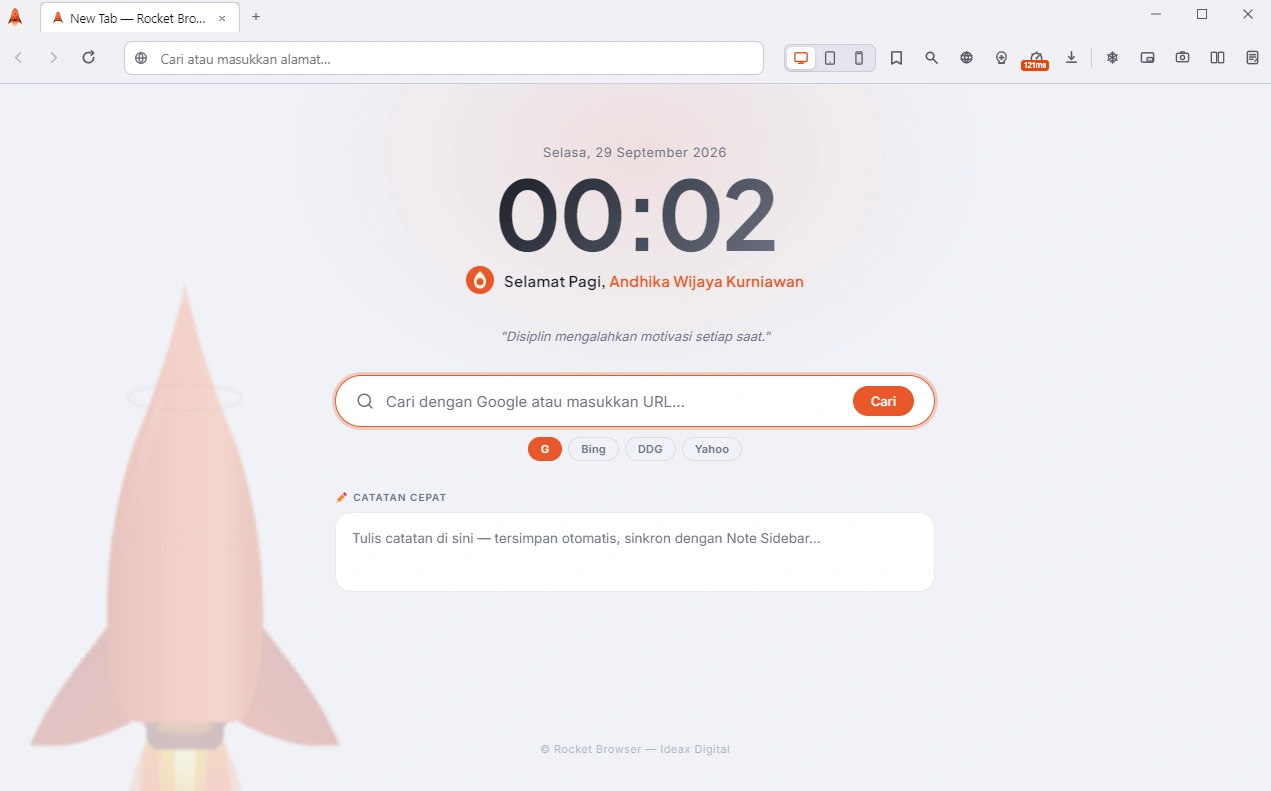
Through SEO Timing & Viewport, Rocket SEO Browser provides page loading monitoring functions as well as display simulation on different device sizes. Users can preview desktop, tablet, and mobile views directly from the toolbar. This feature helps practitioners bring attention to page presentation into everyday inspection activities.
Display inspection can be used to see the readability of text, the arrangement of elements, and the position of important information on a particular screen size. A page that is easy to understand on a wide screen still needs to be reviewed when viewing space is limited. Visual observation helps teams find areas that need to be evaluated by designers or developers before the next change is made.
This browser also features Multi-Viewport Preview to display desktop, tablet, and mobile versions simultaneously in one window. Practitioners can observe differences in presentation without switching modes repeatedly. Observation results serve as material for checking responsiveness, while testing on real devices and more complete performance evaluations can be carried out according to project needs.
Rocket SEO Toolbar Unifies Feature Access
Rocket SEO Toolbar consolidates access to a number of tools frequently used in SEO work. The product site mentions the scraper, redirect checker, viewport simulator, and Collections as part of the functionality gathered through the toolbar. Users can reach the tool from the same browser environment while reviewing the page.
The value of this approach lies in the closeness between reading the page and examining its details. Users can select the functions they need based on current findings, whether to review metadata, view redirects, or compare views. The workflow becomes easier to adapt to the type of inspection being performed.
Overall, there are nine main features introduced including page data retrieval, URL checking, reading, comparison, reference storage, and display evaluation. This combination shows focus Rocket Browser on the operational activities of SEO practitioners.
Supports Practitioner, Content, and Developer Collaboration
SEO findings often need to be translated into work for several functions at once. Title changes may involve an editor, redirect improvements require a developer, while page presentation requires the attention of a designer. Examinations conducted with clear context help each party understand the problematic areas and why a change is being proposed.
In daily use, Rocket SEO Browser can be placed at the initial observation and validation stage. The practitioner opens the page in question, examines the relevant elements, then compiles notes based on the findings. Specific notes help the conversation focus on the page and the action needed, so recommendations are more easily translated into actual work.
This approach is relevant for independent consultants, internal company teams, and agencies handling a variety of technical and editorial needs. Each team can adapt how the feature is used to its inspection procedures. The availability of built-in tools provides a choice of working environments that can be used to support these routines without adding extensive setup for available functions.
Rocket Browser Available Free
On its official download page, Rocket SEO Browser available in Windows 64-bit version v1.3.52. The system requirements listed are Windows 10 or later. The installer is provided in executable format with a reported size of around 120 MB, so that potential users can check the device's compatibility before starting the installation.
This product is in the Open Beta stage and can be used for free during that period. The official site states that users do not need an account or credit card to get started. This provision provides an opportunity for practitioners to try out the available features and assess their suitability for their individual work habits.
For macOS users, site Rocket Browser states the status is still under development and will be available later. This information differentiates platforms that are already available from platforms that are still being prepared.
Users can refer to the official site Rocket SEO Browser to view version availability, device requirements, and applicable download information when using the product.
About Ideax Digital and Rocket SEO Browser
Ideax Digital is SEO Agency in Indonesia founded by Andhika Wijaya Kurniawan and has been operating since 2005. Its services include SEO services, creating SEO articles, as well as optimizing brand visibility in artificial intelligence-based searches using a GEO approach. The company focuses on developing the organic presence of the business by taking into account technical needs, content and marketing objectives.
Rocket SEO Browser is a Chromium-based desktop browser developed Ideax Digital to support the work of SEO professionals. The product integrates a number of inspection and research tools as built-in features, is available for Windows in Open Beta, and is free to use during this period. Official download available at rocketbrowser.id.